Introduction to Version Control
Master version control with Collab's seamless GitHub integration. Learn how to manage branches, commits, and pull requests in real-time while collaborating with your team - all within our unified development environment.
Intro to Version Control
Version control is at the heart of modern software development—and with Collab, it's seamlessly integrated into your collaborative coding experience.
Imagine collaborating live on code and committing changes or opening pull requests—all without leaving the room. With Collab, you can do exactly that. Every coding session is powered by Git operations that connect directly to your GitHub repositories.
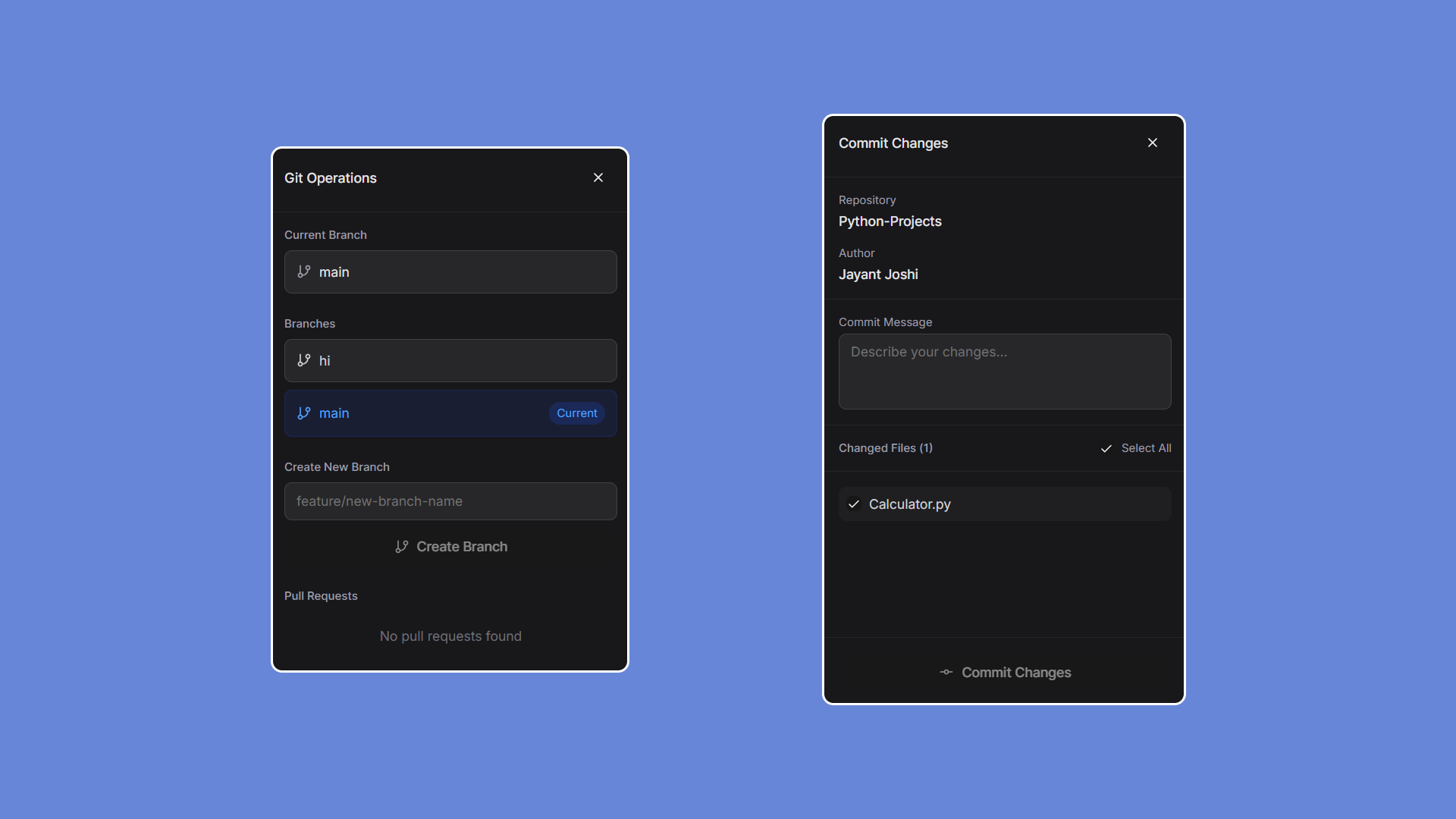
Here's what you can do inside Collab's version-controlled environment:
🔀 Switch Branches Effortlessly
Need to work on a feature or test something in isolation?
Use the built-in branch selector to change branches instantly—no refresh or restart needed.
🔍 View Existing Pull Requests
Stay updated on team progress by viewing all open pull requests within your selected repository.
Quickly review changes, leave comments, or join a PR branch for live collaboration.
🆕 Generate New Pull Requests
Once you've completed your session or feature changes:
- 🔹Push your commits
- 🔹Open a new pull request directly from within Collab
- 🔹Provide title, description, and reviewers—just like on GitHub
This streamlines your workflow by eliminating switches between the editor and GitHub.
💾 Commit Your Code
Collab provides an intuitive commit panel where you can:
- 🔹 Stage your modified files
- 🔹Add a commit message
- 🔹Push the commit to the current branch
All commits are processed securely through GitHub's API with proper authentication and feedback.
🌿 Create a New Branch
Need to experiment or start a feature?
With one click, you can create a new Git branch and code collaboratively without affecting the main codebase.
⚠️ Final Note: Don't Lose Your Work
Before leaving a session, don't forget to commit your code or open a pull request.
Since Collab operates in real-time, uncommitted changes may not persist—especially across multiple collaborators or disconnected sessions. Protect your work and keep your team synchronized by committing before you leave.